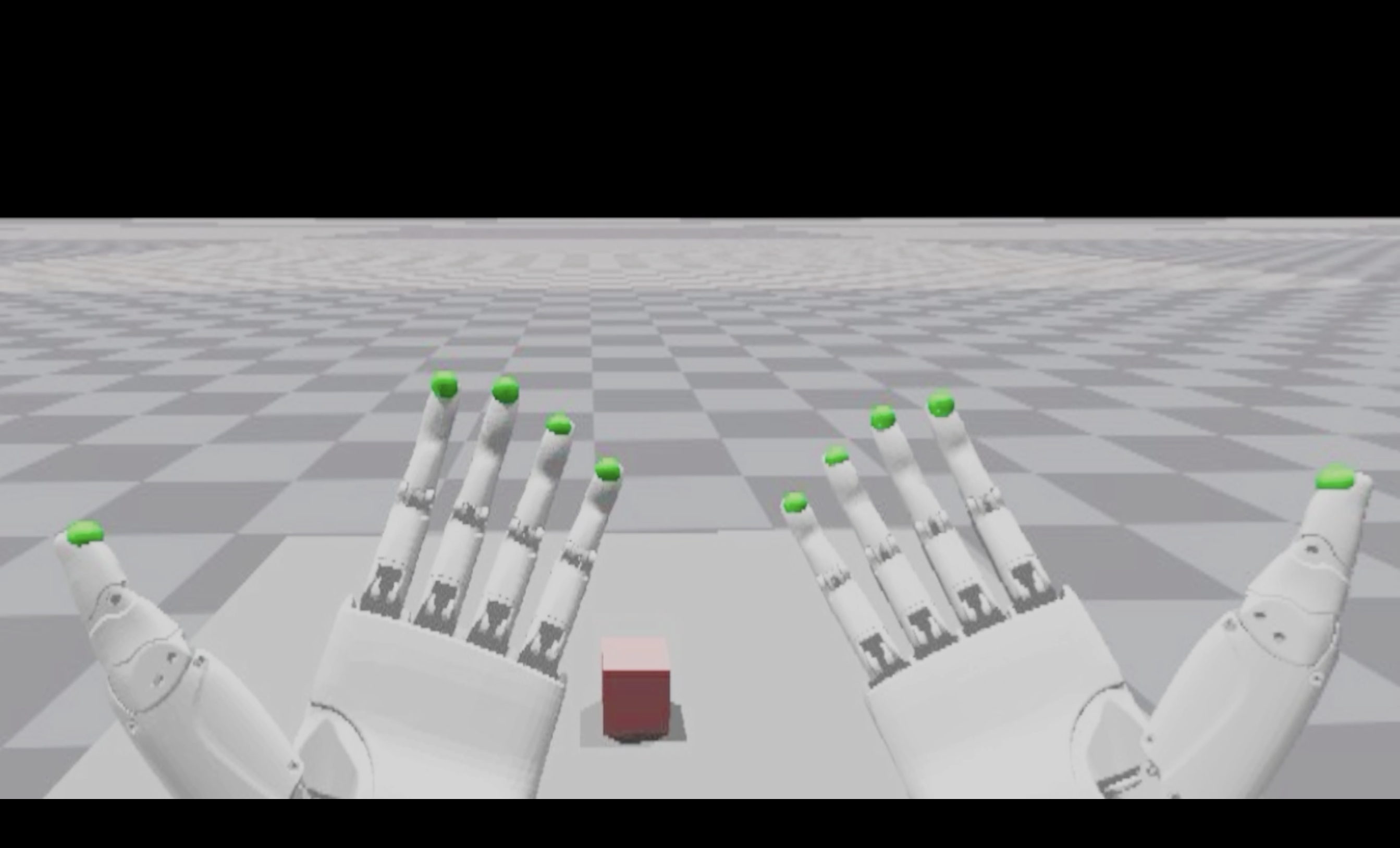
# Video Demo

 # Introduction
This repository implements teleoperation of the humanoid robot Unitree H1_2 using Apple Vision Pro.
# Prerequisites
We tested our code on Ubuntu 20.04 and Ubuntu 22.04, other operating systems may be configured differently.
For more information, you can refer to [Official documentation ](https://support.unitree.com/home/zh/Teleoperation) and [OpenTeleVision](https://github.com/OpenTeleVision/TeleVision).
## inverse kinematics
```bash
conda create -n tv python=3.8
conda activate tv
# If you use `pip install`, Make sure pinocchio version is 3.1.0
conda install pinocchio -c conda-forge
pip install meshcat
```
## unitree_dds_wrapper
```bash
# Install the Python version of the unitree_dds_wrapper.
git clone https://github.com/unitreerobotics/unitree_dds_wrapper.git
cd unitree_dds_wrapper/python
pip3 install -e .
```
## TeleVision and Apple Vision Pro configuration
### basic
```bash
cd ~
git clone https://github.com/unitreerobotics/avp_teleoperate.git
cd ~/avp_teleoperate
pip install -r requirements.txt
cd act/detr && pip install -e .
```
### Isaac Gym
If you want to try teleoperation example in a simulated environment (`teleop_hand.py`):
1. Download Isaac Gym: https://developer.nvidia.com/isaac-gym/download
2. Extracting to the current directory, go to the `IsaacGym_Preview_4_Package/isaacgym/python` directory and execute the command: `pip install -e .`
### Local streaming
**Apple** does not allow WebXR on non-https connections. To test the application locally, we need to create a self-signed certificate and install it on the client. You need a ubuntu machine and a router. Connect the VisionPro and the ubuntu machine to the same router.
1. install mkcert: https://github.com/FiloSottile/mkcert
2. check local ip address:
```bash
ifconfig | grep inet
```
Suppose the local ip address of the ubuntu machine is `192.168.123.2`
3. create certificate:
```bash
mkcert -install && mkcert -cert-file cert.pem -key-file key.pem 192.168.123.2 localhost 127.0.0.1
```
ps. place the generated cert.pem and key.pem files in `teleop`.
```bash
cp cert.pem key.pem ~/avp_teleoperate/teleop/
```
4. open firewall on server:
```bash
sudo ufw allow 8012
```
5. install ca-certificates on VisionPro:
```
mkcert -CAROOT
```
Copy the `rootCA.pem` via AirDrop to VisionPro and install it.
Settings > General > About > Certificate Trust Settings. Under "Enable full trust for root certificates", turn on trust for the certificate.
settings > Apps > Safari > Advanced > Feature Flags > Enable WebXR Related Features
6. open the browser on Safari on VisionPro and go to https://192.168.123.2:8012?ws=wss://192.168.123.2:8012
7. Click `Enter VR` and `Allow` to start the VR session.
### Simulation Teleoperation Example
1. After setup up streaming with either local or network streaming following the above instructions, you can try teleoperating two robot hands in Issac Gym:
```bash
cd teleop && python teleop_hand.py
```
2. Go to your vuer site on VisionPro, click `Enter VR` and `Allow` to enter immersive environment.
3. See your hands in 3D!
# Usage
Please read the [official documentation ](https://support.unitree.com/home/zh/Teleoperation) at least once before starting this program.
## Dexterous hands service
You can refer to [Dexterous Hand Development](https://support.unitree.com/home/zh/H1_developer/Dexterous_hand) to configure related environments and compile control programs. First, use [this URL](https://oss-global-cdn.unitree.com/static/0a8335f7498548d28412c31ea047d4be.zip) to download the dexterous hand control interface program and copy it to PC of Unitree H1_2. On Unitree H1_2's PC, execute command:
```bash
sudo apt install libboost-all-dev libspdlog-dev
# Build project
cd h1_inspire_service & mkdir build & cd build
cmake .. -DCMAKE_BUILD_TYPE=Release
make
# Terminal 1. Run h1 inspire hand service
sudo ./inspire_hand -s /dev/ttyUSB0
# Terminal 2. Run example
./h1_hand_example
```
If two hands open and close continuously, it indicates success. Once successful, close the `./h1_hand_example` program in Terminal 2.
## Image Server
Copy `image_server.py` in the `avp_teleoperate/teleop/image_server` directory to the PC of Unitree H1_2, and execute the following command **in the PC**:
```bash
sudo python image_server.py
```
After image service is started, you can use `image_client.py` **in the Host** terminal to test whether the communication is successful:
```bash
python image_client.py
```
## Start
> Warning : All persons must maintain an adequate safety distance from the robot to avoid danger!
```bash
python teleop_hand_and_arm.py
```
# Codebase Tutorial
The overall structure of the code remains the same as TeleVision, and we only focus on the modified file directories related to Unitree Robot.
avp_teleoperate/
│
├── act [Documents Related to ACT Policy for Imitation Learning]
│
├── assets [Storage of robot URDF-related files]
│
├── scripts
│
├── teleop
│ ├── image_server/ [Image Transfer Server and Client Code]
│ │ ├── image_client.py [Client (only used to test whether the image stream service is OK, not used for teleoperation)]
│ │ ├── image_server.py [Capture images from binocular cameras and send via network (performed on Unitree H1_2)]
│ │
│ ├── robot_control/ [Storage of IK solver, arm and hand control related documents]
│ │ ├── robot_arm_ik.py [Inverse kinematics of the arm]
│ │ ├── robot_arm.py [Control dual arm joints and lock the others]
│ │ ├── robot_hand.py [Control hand joints]
│ │
│ │──teleop_hand_and_arm.py [Startup execution code for teleoperation]
| |——teleop_hand.py [Can be used for testing the environment configuration]
# Acknowledgement
This code builds upon following open-source code-bases. Please visit the URLs to see the respective LICENSES:
1) https://github.com/OpenTeleVision/TeleVision
2) https://github.com/dexsuite/dex-retargeting
3) https://github.com/vuer-ai/vuer
4) https://github.com/stack-of-tasks/pinocchio
5) https://github.com/casadi/casadi
6) https://github.com/meshcat-dev/meshcat-python
7) https://github.com/zeromq/pyzmq
8) https://github.com/unitreerobotics/unitree_dds_wrapper
9) https://github.com/tonyzhaozh/act
10) https://github.com/facebookresearch/detr
# Introduction
This repository implements teleoperation of the humanoid robot Unitree H1_2 using Apple Vision Pro.
# Prerequisites
We tested our code on Ubuntu 20.04 and Ubuntu 22.04, other operating systems may be configured differently.
For more information, you can refer to [Official documentation ](https://support.unitree.com/home/zh/Teleoperation) and [OpenTeleVision](https://github.com/OpenTeleVision/TeleVision).
## inverse kinematics
```bash
conda create -n tv python=3.8
conda activate tv
# If you use `pip install`, Make sure pinocchio version is 3.1.0
conda install pinocchio -c conda-forge
pip install meshcat
```
## unitree_dds_wrapper
```bash
# Install the Python version of the unitree_dds_wrapper.
git clone https://github.com/unitreerobotics/unitree_dds_wrapper.git
cd unitree_dds_wrapper/python
pip3 install -e .
```
## TeleVision and Apple Vision Pro configuration
### basic
```bash
cd ~
git clone https://github.com/unitreerobotics/avp_teleoperate.git
cd ~/avp_teleoperate
pip install -r requirements.txt
cd act/detr && pip install -e .
```
### Isaac Gym
If you want to try teleoperation example in a simulated environment (`teleop_hand.py`):
1. Download Isaac Gym: https://developer.nvidia.com/isaac-gym/download
2. Extracting to the current directory, go to the `IsaacGym_Preview_4_Package/isaacgym/python` directory and execute the command: `pip install -e .`
### Local streaming
**Apple** does not allow WebXR on non-https connections. To test the application locally, we need to create a self-signed certificate and install it on the client. You need a ubuntu machine and a router. Connect the VisionPro and the ubuntu machine to the same router.
1. install mkcert: https://github.com/FiloSottile/mkcert
2. check local ip address:
```bash
ifconfig | grep inet
```
Suppose the local ip address of the ubuntu machine is `192.168.123.2`
3. create certificate:
```bash
mkcert -install && mkcert -cert-file cert.pem -key-file key.pem 192.168.123.2 localhost 127.0.0.1
```
ps. place the generated cert.pem and key.pem files in `teleop`.
```bash
cp cert.pem key.pem ~/avp_teleoperate/teleop/
```
4. open firewall on server:
```bash
sudo ufw allow 8012
```
5. install ca-certificates on VisionPro:
```
mkcert -CAROOT
```
Copy the `rootCA.pem` via AirDrop to VisionPro and install it.
Settings > General > About > Certificate Trust Settings. Under "Enable full trust for root certificates", turn on trust for the certificate.
settings > Apps > Safari > Advanced > Feature Flags > Enable WebXR Related Features
6. open the browser on Safari on VisionPro and go to https://192.168.123.2:8012?ws=wss://192.168.123.2:8012
7. Click `Enter VR` and `Allow` to start the VR session.
### Simulation Teleoperation Example
1. After setup up streaming with either local or network streaming following the above instructions, you can try teleoperating two robot hands in Issac Gym:
```bash
cd teleop && python teleop_hand.py
```
2. Go to your vuer site on VisionPro, click `Enter VR` and `Allow` to enter immersive environment.
3. See your hands in 3D!
# Usage
Please read the [official documentation ](https://support.unitree.com/home/zh/Teleoperation) at least once before starting this program.
## Dexterous hands service
You can refer to [Dexterous Hand Development](https://support.unitree.com/home/zh/H1_developer/Dexterous_hand) to configure related environments and compile control programs. First, use [this URL](https://oss-global-cdn.unitree.com/static/0a8335f7498548d28412c31ea047d4be.zip) to download the dexterous hand control interface program and copy it to PC of Unitree H1_2. On Unitree H1_2's PC, execute command:
```bash
sudo apt install libboost-all-dev libspdlog-dev
# Build project
cd h1_inspire_service & mkdir build & cd build
cmake .. -DCMAKE_BUILD_TYPE=Release
make
# Terminal 1. Run h1 inspire hand service
sudo ./inspire_hand -s /dev/ttyUSB0
# Terminal 2. Run example
./h1_hand_example
```
If two hands open and close continuously, it indicates success. Once successful, close the `./h1_hand_example` program in Terminal 2.
## Image Server
Copy `image_server.py` in the `avp_teleoperate/teleop/image_server` directory to the PC of Unitree H1_2, and execute the following command **in the PC**:
```bash
sudo python image_server.py
```
After image service is started, you can use `image_client.py` **in the Host** terminal to test whether the communication is successful:
```bash
python image_client.py
```
## Start
> Warning : All persons must maintain an adequate safety distance from the robot to avoid danger!
```bash
python teleop_hand_and_arm.py
```
# Codebase Tutorial
The overall structure of the code remains the same as TeleVision, and we only focus on the modified file directories related to Unitree Robot.
avp_teleoperate/
│
├── act [Documents Related to ACT Policy for Imitation Learning]
│
├── assets [Storage of robot URDF-related files]
│
├── scripts
│
├── teleop
│ ├── image_server/ [Image Transfer Server and Client Code]
│ │ ├── image_client.py [Client (only used to test whether the image stream service is OK, not used for teleoperation)]
│ │ ├── image_server.py [Capture images from binocular cameras and send via network (performed on Unitree H1_2)]
│ │
│ ├── robot_control/ [Storage of IK solver, arm and hand control related documents]
│ │ ├── robot_arm_ik.py [Inverse kinematics of the arm]
│ │ ├── robot_arm.py [Control dual arm joints and lock the others]
│ │ ├── robot_hand.py [Control hand joints]
│ │
│ │──teleop_hand_and_arm.py [Startup execution code for teleoperation]
| |——teleop_hand.py [Can be used for testing the environment configuration]
# Acknowledgement
This code builds upon following open-source code-bases. Please visit the URLs to see the respective LICENSES:
1) https://github.com/OpenTeleVision/TeleVision
2) https://github.com/dexsuite/dex-retargeting
3) https://github.com/vuer-ai/vuer
4) https://github.com/stack-of-tasks/pinocchio
5) https://github.com/casadi/casadi
6) https://github.com/meshcat-dev/meshcat-python
7) https://github.com/zeromq/pyzmq
8) https://github.com/unitreerobotics/unitree_dds_wrapper
9) https://github.com/tonyzhaozh/act
10) https://github.com/facebookresearch/detr